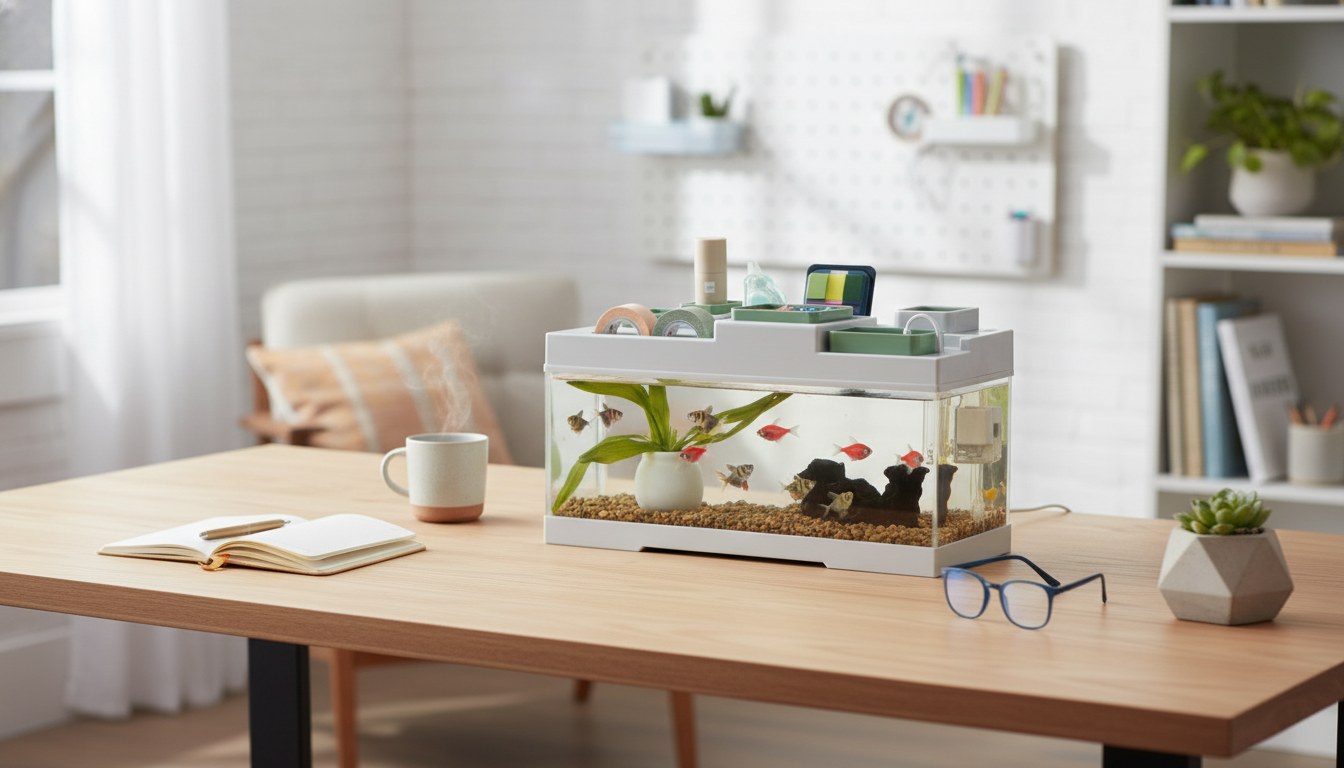
A compact desktop aquarium can add movement and calm to a workspace without taking over the entire surface. This acrylic model combines a clear viewing tank, built-in LED lighting, and a small storage area for everyday desk items, making it suited to dorms, offices, and bedside tables where space and tidiness matter.
For a streamlined, all-in-one setup, consider the Acrylic Desktop Aquarium with Storage & LED Light. If you’re looking for a simpler alternative geared toward a single fish display, the Desktop Betta Fish Tank is another desk-friendly option.
Acrylic is popular for small display tanks because it’s easy to place and easy to enjoy up close. The panels are typically very clear, so fish and décor stay visually crisp even at arm’s length—ideal for a workstation where the aquarium is part of the immediate view.
If you want the clarity of acrylic to stay “like new,” treat the inside walls the way you’d treat a phone screen: keep grit away, clean gently, and avoid anything that can trap sand or debris against the surface.
The built-in storage area is a practical advantage for small aquariums because it keeps essentials within reach. When maintenance supplies are easy to grab, quick weekly care tends to actually happen—especially in dorms or busy offices.
A helpful habit: keep one “aquarium-only” cloth in the compartment so you don’t accidentally wipe acrylic with a towel that’s been used with household cleaners.
Integrated LEDs make a desktop tank feel finished without requiring a separate lamp or clip-on fixture. LEDs also run cool compared to many traditional bulbs, helping maintain steadier temperatures in a small volume of water.
For most small desk displays, a predictable on/off rhythm matters more than maximum brightness. Fish benefit from a clear day-night cycle, and consistent lighting helps limit nuisance algae.
Placement is one of the biggest “make or break” factors for a small aquarium. The best location is stable, level, and convenient—so feeding and water changes don’t feel like a chore.
For general care fundamentals and welfare guidance, consult resources like the RSPCA fish care advice and the University of Florida IFAS Extension. For hobby-focused education, the Ornamental Aquatic Trade Association (OATA) offers practical fishkeeping information.
| Feature | Acrylic desktop aquarium with storage & LED | Typical small glass tank |
|---|---|---|
| Visibility | Clear viewing with integrated lighting | Clear viewing; lighting may be separate |
| Weight | Generally lighter for desk moves | Often heavier for the same size |
| Scratch resistance | Needs gentler cleaning to avoid scratches | Typically more scratch-resistant |
| Organization | Built-in storage for supplies and desk items | Requires separate organizer or drawer |
| Placement flexibility | Designed to sit neatly on compact desks | Varies by model; may need extra space for light/hood |
Do quick daily checks (temperature, fish behavior, and equipment), then plan weekly partial water changes for most small setups. Wipe acrylic gently only as needed, and test water regularly—more often if the tank is heavily stocked or newly set up.
It’s better to use a consistent schedule, often around 6–10 hours depending on the setup, and avoid leaving it on overnight. A simple timer helps keep the day/night rhythm steady and can reduce algae and fish stress.
Store fish food, water conditioner, test strips, a small net, and a microfiber cloth for acrylic-safe cleaning. Keep liquids sealed and upright, avoid heavy items, and remove anything that could leak or leave residue.











Leave a comment